

Ever heard of a loop email? It's a surprisingly powerful productivity hack that involves sending a scheduled, repeating message to handle all sorts of routine tasks. Instead of being an error, think of it as your own personal assistant, automatically sending out weekly report requests, client check-ins, or monthly invoice reminders.
This simple automation strategy is a game-changer for reclaiming your time and mental energy.
The Hidden Power of Loop Email Automation
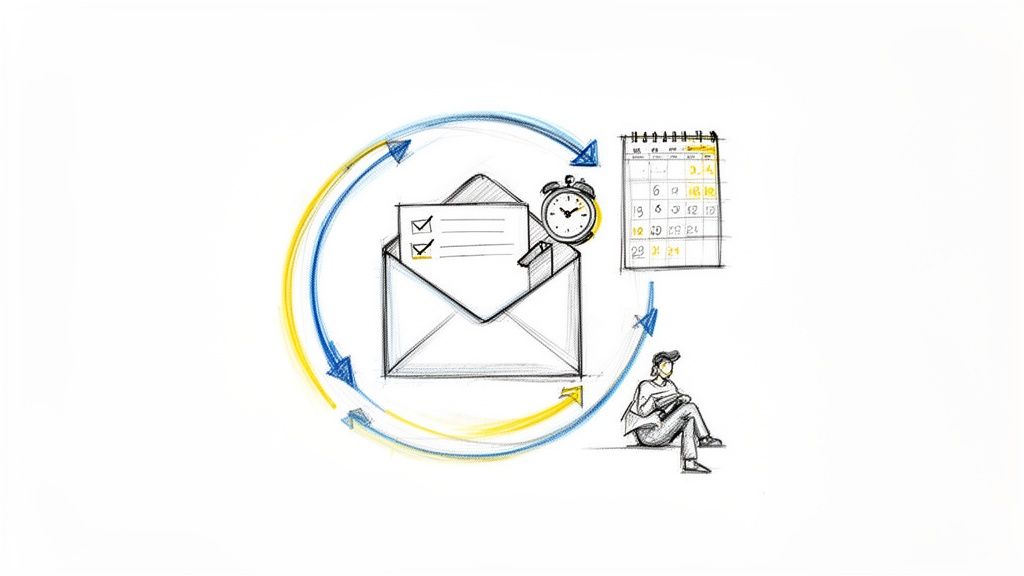 Imagine your week without those nagging reminders pinging around in the back of your mind. No more manually chasing down team updates, sending out payment reminders, or distributing the same meeting agenda week after week. This is the real magic of mastering the loop email—turning what sounds like a technical glitch into a deliberate, strategic tool.
When you automate these predictable communications, you offload the mental burden of remembering and acting on them. This frees you up to focus on the work that actually requires your brainpower and creativity, not just administrative diligence.
From Household Chores to Client Management
The applications for this are surprisingly diverse, scaling easily from your personal life to your professional one. I've seen it used in all sorts of clever ways.
- Freelancers: Set up an automatic email to follow up with clients about overdue invoices. Simple, but so effective.
- Managers: Schedule a weekly status request to go out to your team every Monday morning without fail.
- Households: Create a rotating chore reminder that gets sent to family members each week.
This isn't about setting up a complex project management platform. It's about using a focused, almost invisible tool that works as a simple productivity hack in addition to your other systems. Tools like Recurrr are a hidden gem for this, letting you set up recurring emails without the bloat of bigger software. For a deeper dive, check out our guide on how to set up automated emails in Gmail to see what's possible.
The goal is to create a system that runs on autopilot, ensuring consistency and freeing you from the monotonous cycle of manual follow-ups. It’s a small change that delivers a significant impact on your daily productivity.
Given the sheer volume of digital communication, automation like this is becoming essential. In 2023, an incredible 347.3 billion emails were sent and received daily worldwide, a number that hammers home email's unwavering importance.
With email users projected to hit 4.6 billion by 2025, tools that can manage recurring messages are no longer a luxury for busy professionals—they're a flat-out necessity.
Finding Your First Automation Opportunities
The best place to start with loop emails isn't some complex new strategy. It's actually hidden in plain sight, right inside your "Sent" folder. You're almost certainly sending repetitive emails every single day, and those are the perfect candidates to automate first.
The trick is to start small. Don't try to build a massive, multi-stage campaign right out of the gate. Instead, spend a day or two just paying attention to the emails you send on autopilot—the ones you could practically write in your sleep. Jot them down. This quick "communications audit" will reveal your best first targets.
Spotting Recurring Tasks in Your Workflow
You'll probably be surprised by how many of these little time-sinks you find. We're not talking about intricate marketing sequences here. We're talking about the simple, predictable messages that eat up five minutes here, ten minutes there. Over a week or a month, that time really starts to hurt.
Need some ideas? Here are a few real-world examples I see all the time:
- Freelance Designer: Every Monday morning, you send that "Just checking in for feedback on the latest proofs" email to your client.
- Small Business Owner: Every Friday afternoon, you have to remember to send out the agenda for next week's team meeting.
- Property Manager: You send a friendly rent reminder to all your tenants, like clockwork, five days before the first of the month.
- Personal Productivity: You could even email yourself every Sunday night with the subject, "What are my top 3 goals for this week?" to keep yourself on track.
The goal is to pinpoint one or two low-stakes, high-frequency tasks. Honestly, automating a simple personal reminder is often the best way to get your feet wet. You'll see the benefit immediately and get comfortable with the process before you start looping in clients or team members.
I've put together a table to show just how broadly this can apply across different roles.
Ideal Scenarios for Loop Email Automation
Role/IndustryExample Loop Email TaskFrequencyKey BenefitProject ManagerWeekly project status update request to the team.WeeklyEnsures consistent reporting without manual chasing.Sales RepFollow-up with a new lead 7 days after the initial call.Per LeadNever lets a warm lead go cold.HR CoordinatorNew hire's 30-day and 90-day check-in emails.Per EmployeeSystematizes the onboarding feedback process.AccountantMonthly reminder to clients to submit their expense reports.MonthlyReduces late submissions and administrative overhead.Content CreatorBi-weekly call for content submissions from contributors.Bi-weeklyKeeps the content pipeline full and predictable.See? Once you start looking for these patterns, you'll find them everywhere. It's all about reclaiming those little pockets of time that add up to big savings.
Of course, choosing the right platform is half the battle. While plenty of tools can schedule a single email, not all of them are built to handle and manage ongoing loops gracefully. If you're weighing your options, our guide to the top 11 tools to send recurring emails in 2024 is a great place to start. Using a tool designed for the job from day one makes everything much, much simpler.
How to Build Your First Automated Email Loop
Alright, let's get our hands dirty and turn this idea into a real, working automation. Building your first automated email loop is way easier than it sounds, especially if you're using a tool built for exactly this, like Recurrr. You don't need to be a programmer or mess with complicated marketing suites. Think of it as hiring a super-efficient assistant who never forgets a task.
The whole point is to create a message that takes care of a routine job for you. It goes out on schedule, every single time, without you ever having to think about it again. A great real-world parallel is setting up automated messages for guest communication for a rental property—that same set-it-and-forget-it principle can be a lifesaver for tons of other tasks.
Crafting Your Email and Schedule
First thing's first: the email itself. Keep it simple and direct. A solid loop email doesn't waste time. Whether it's a weekly report request or a gentle invoice nudge, get straight to the point. Use a clear subject line like "Weekly Project Update Needed" or "Friendly Invoice Reminder." That way, your recipient knows exactly what you need just by looking at their inbox.
Next up is the schedule. This is where a dedicated tool really pays off. You can pick from standard options like:
- Daily: Perfect for personal habit reminders or those end-of-day team check-ins.
- Weekly: A classic for team meeting agendas or asking for status updates.
- Monthly: Great for sending out recurring invoices or requesting performance reports.
Before you even open a tool, the best way to start is by looking at your own workflow. Just audit your tasks, find the ones you do over and over, and then automate them.
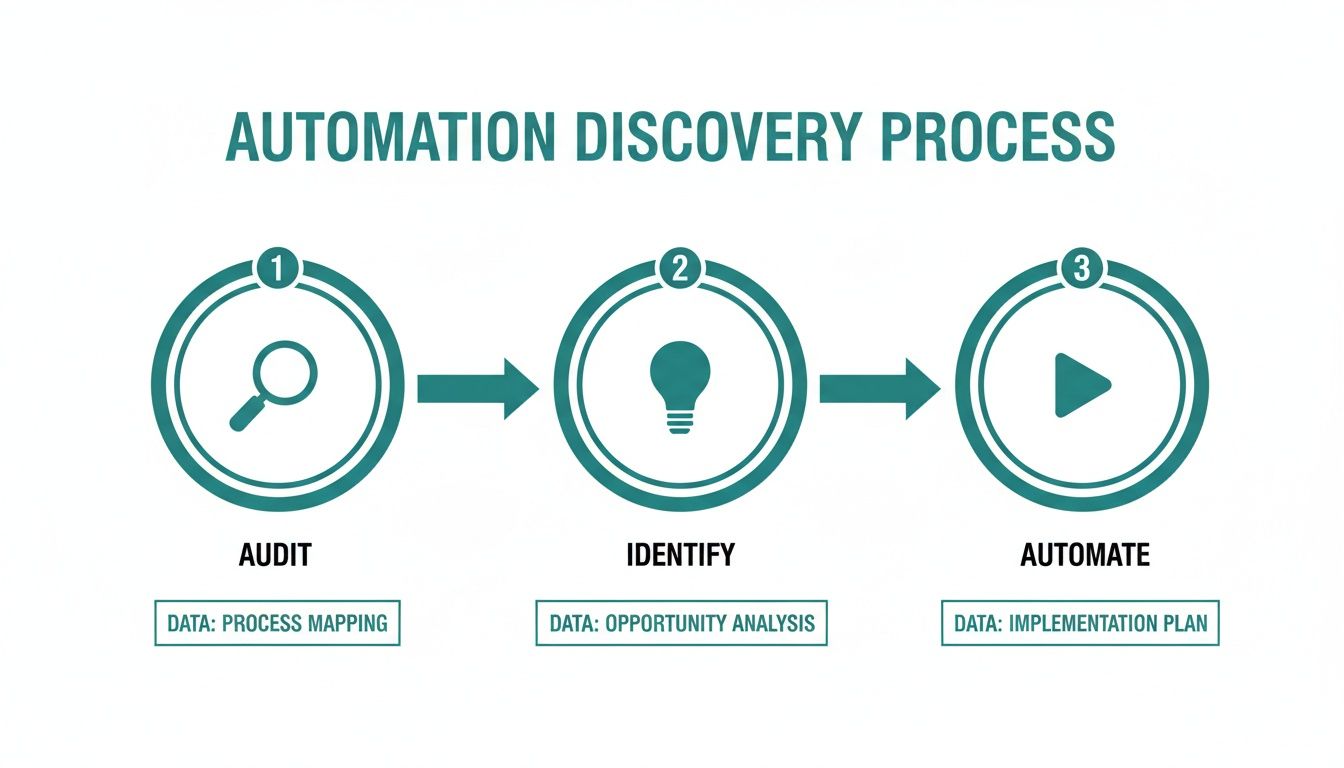 This approach ensures you're automating something that actually saves you time, not just creating more digital noise. If you want to dive deeper into the nuts and bolts, check out our guide on https://recurrr.com/articles/how-to-send-recurring-emails/.
Don't stress about making your first automated loop perfect. The trick is to start with one simple, repetitive task. You'll immediately feel the benefit, and that small win will give you the momentum to tackle more complex automations down the road.
And it’s not just us—the market shows just how valuable this is. The global email marketing software market hit a massive $7.5 billion in 2020 and is projected to reach $17.9 billion by 2027. That explosion in growth is happening for a reason: simple, recurring email tools are becoming essential for everyday productivity.
Managing and Refining Your Email Loops
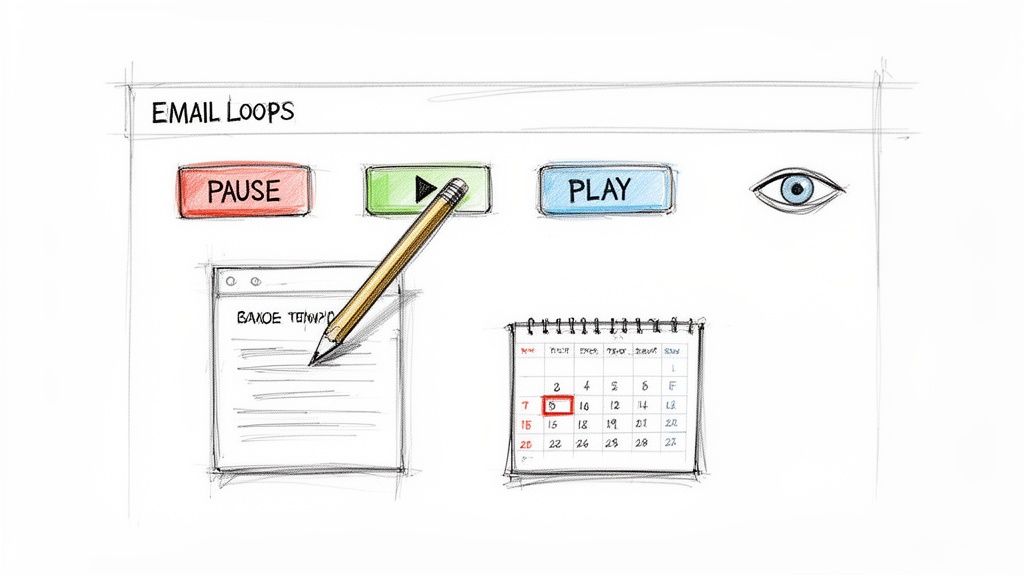 Getting your automations live is just the beginning. The real magic happens when you start maintaining and refining your loop email system. This isn't about endlessly fiddling with settings, but making smart, occasional adjustments.
Think about it: work and life are always changing, and your automations should keep up. You'll definitely run into situations where you need to pause a weekly update request while a client is on vacation, or maybe skip a monthly reminder when a project gets put on hold. A good tool lets you do this with a single click—no need to tear down and rebuild the entire sequence. That's what keeps your system genuinely helpful instead of just rigid.
Keeping Your Automations Relevant
Your recipient lists will need a little housekeeping now and then. People change roles, team members move on, projects wrap up. It's a good habit to do a quick check-in every quarter to make sure the right messages are still going to the right people.
You don't need fancy analytics to see what's working. Just pay attention to the replies you get. Are people giving you the information you asked for? If not, it might be time to freshen up your email template. Sometimes, even a small tweak to the wording can make a world of difference in clarity and the quality of responses.
Don't let your helpful assistant start to sound stale. Periodically update your email templates to keep them fresh and effective, ensuring they continue to achieve their intended goal without becoming background noise.
It's also worth taking a step back every few months to review each loop's purpose. Is it still saving you time? Is the frequency still right? The idea is to create a living system that evolves right alongside your needs.
This whole process is a lot smoother when you use a tool that's built for the job, rather than a complex, all-in-one platform. If you're curious about that, we've broken down why you might want a simpler alternative to Zapier for recurring emails. When you manage them right, your automations stay an asset, not an annoyance.
Common Email Automation Mistakes to Avoid
Automating your emails is a huge time-saver, but it's not a "set it and forget it" solution. If you're not careful, a few common slip-ups can turn your helpful assistant into a digital headache.
The most infamous problem is the accidental infinite email loop. This happens when automated replies from two different systems start triggering each other, over and over, until everyone's inboxes are flooded with nonsense. It’s a classic rookie mistake.
This is the evil twin of a productive loop email, which is a single, controlled message you've set up on purpose. To avoid the nightmare scenario, just follow one simple rule: never set up an auto-reply on an email address that you also use to send automated requests. Keep your outgoing loops and your incoming responses in separate lanes.
Avoiding Recipient Fatigue
Another trap is getting a little too excited about your newfound automation powers. Just because you can send a daily project update doesn't mean you should. Blasting someone's inbox is the fastest way to get your messages ignored, deleted, or worse, flagged as spam.
Don't forget how powerful this channel is. Email is still the top choice for 73% of consumers and 83% for brand communication. Abusing that trust is a quick way to lose a valuable connection. If you're curious, you can discover some fascinating insights about email's ongoing relevance and why it pays to be respectful.
A good rule of thumb is to set the frequency to the minimum required to get the job done. A weekly check-in is often just as effective as a daily one and is far less likely to cause annoyance.
Handling Bounces and Replies Gracefully
Finally, you need a plan for the inevitable out-of-office replies and bouncebacks. A clean, simple loop email can quickly create a mess if it keeps pinging an inactive address or triggering an endless stream of vacation responders.
Make it a habit to periodically review your recipient lists. If an address consistently bounces, remove it. Getting a bunch of "out of office" messages? It's often smart to just pause the loop for that person until they're back.
A little bit of maintenance goes a long way. It ensures your automation stays a helpful tool instead of a nuisance for you and everyone else.
Your Burning Questions About Loop Emails
Once you start thinking about putting emails on a recurring schedule, a few questions always seem to surface. It's totally normal. Let's walk through some of the most common ones I hear, so you can get your automations running with confidence.
What’s the Difference Between a Loop and a Sequence?
It’s easy to get these two confused, but they’re built for completely different jobs.
Think of it this way:
- A loop email is like a recurring calendar reminder. It’s a single message that gets sent over and over on a set schedule—like a weekly nudge to your team to submit their timesheets. It runs until you tell it to stop.
- An email sequence, on the other hand, is a project with a clear beginning and end. It's a series of different emails sent in a specific order, like a 5-day welcome series for a new customer. Once the last email goes out, it's done.
One is a continuous cycle, the other is a finite journey.
Can I Just Set This Up in Gmail or Outlook?
You can try, but you'll quickly run into a wall. While clients like Gmail or Outlook let you schedule a single email, they aren't designed for true, flexible loops.
Need to pause a recurring send for a week? Or skip just one instance? Good luck. Most of the time, you have to delete the whole thing and start from scratch. It's a real headache.
That's where a simple, dedicated tool like Recurrr comes in. It’s a small productivity hack that gives you the reliable control you need for ongoing automations, without the bloat of a bigger system.
How Do I Stop My Automated Emails from Sounding Like a Robot?
This is the big one, isn't it? The secret to a great automated email is to make it feel human.
Write the message as if you were only sending it once, right now. Keep your tone conversational and friendly. If your tool allows for it, even simple personalization like a first name can make a huge difference.
Every so often, pop in and reread the template. Is the language still fresh? Does it still sound like you? The whole point is to create a helpful, automated nudge—not impersonal spam. A simple, direct message will always feel more like a personal reminder and less like a machine barking orders.
Ready to finally stop sending the same emails over and over? Recurrr is the simple, invisible tool that puts your recurring messages on autopilot. You can finally focus on what really matters. Start saving time today at Recurrr.com.